
Their First Day Shouldn't Be Their First Practice.
Turn onboarding into a series of interactive experiences where new hires explore your company, practice their responsibilities, and prepare for situations they'll encounter on the job.
Operations teams in the US, Colombia, Mexico and Chile trust O-Lab











Onboarding is read a lot and practiced very little.
Slide decks, manuals, and quick tours: everything arrives at once in the first week, and almost nothing is put to the test before the person is alone on the job. Supervisors and coworkers end up absorbing the learning curve.
- Too much information in a few days, and little chance to apply it.
- Every supervisor explains it differently, so the experience changes by shift or site.
- Early mistakes surface in real operations, where they cost more.
From the welcome manual to a first week people can practice.
- Long presentations and documents to sign
- Tours that depend on who is available
- Questions that never get asked
- Short missions that teach the company step by step
- The same experience for every person, at every site
- An AI tutor that answers questions with approved material
A first day in operations.

Example prompt
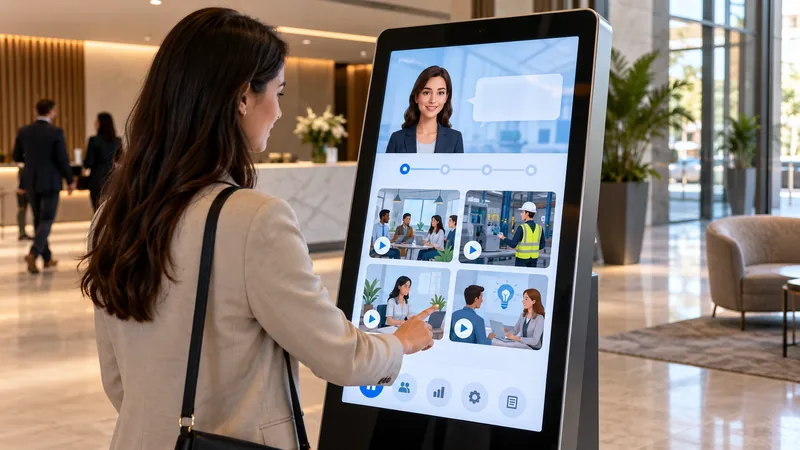
Create an onboarding simulation for a new operations employee: introduce the company, its safety policies, and three typical situations from their first shift.
What the learner experiences
- A virtual guide welcomes them and introduces the company and the team.
- Mission 1: choose the right protective equipment for their area.
- Mission 2: decide what to do in a situation outside the procedure.
- Wrap-up with feedback and the topics to review with their supervisor.
Illustrative concept, not a live simulation.
Create Your Onboarding ExperienceExperiences for every stage of onboarding.
First-day missions
Short challenges to get to know facilities, team, and tools.
Company policies
Situations that put the code of conduct and internal rules into practice.
Customer interactions
First conversations with virtual customers before the real ones.
Operational walkthroughs
Guided tours of key processes and areas of the operation.
Job-specific challenges
The decisions the person will make every day in the role.
From your challenge to a Lab in five steps.
- Level 1
Describe your challenge
Tell O-Lab AI what your team needs to learn or prove, or share your manuals and procedures.
- Level 2
Create the simulation
AI drafts the scenarios, characters, and decisions in minutes.
- Level 3
Customize it
Adapt the content, language, and criteria to your company, reviewed by your team.
- Level 4
Launch
Share it with your people on the web, with nothing to install, on any device.
- Level 5
Assess
Review performance by person and by competency, and decide what to reinforce.
What people practice and what you can measure.
Competencies practiced
- Knowledge of the company and its policies
- Following procedures
- On-the-job decision-making
- Team communication
- Safety culture
Performance indicators
- Progress per mission and time to complete
- Correct decisions in each situation
- Topics where the group struggles most
- Readiness to work without supervision
Related use cases.
 Level 11
Knowledge management
AI Knowledge Experts
Create AI tutors based on approved internal knowledge, manuals, processes, and training materials.
See use case →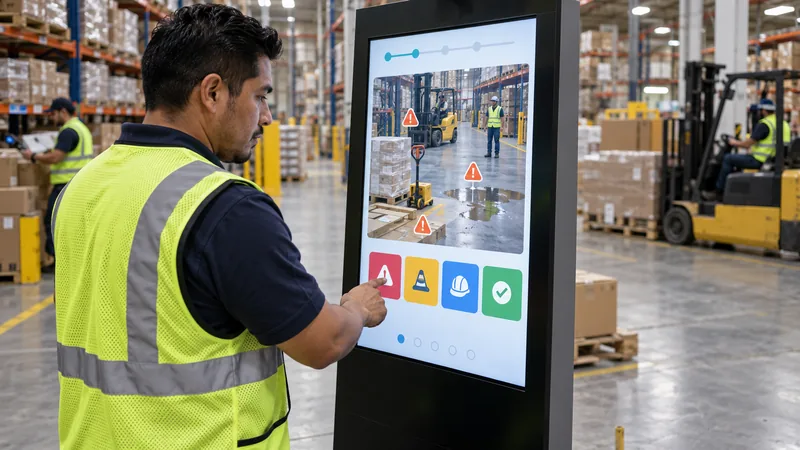 Level 04
Safety & compliance
Workplace Safety
Practice hazard identification, emergency procedures, and safety-critical decisions through realistic simulations.
See use case → Level 08
Operational excellence
SOPs & Process Training
Transform operating procedures and work instructions into decision-based practice that employees can repeat.
See use case →
Make sure every new hire arrives ready.
Tell us what the first week looks like at your company and we'll show you what it would look like as a Lab.